
Connect Salesforce to everything, and automate the busywork
Stop copying data between systems. We integrate Salesforce with your ERP, finance, marketing and support tools using APIs and MuleSoft, then automate the routine work with flows — so your CRM is always current and your team stops re-keying.
One connected CRM, always in sync
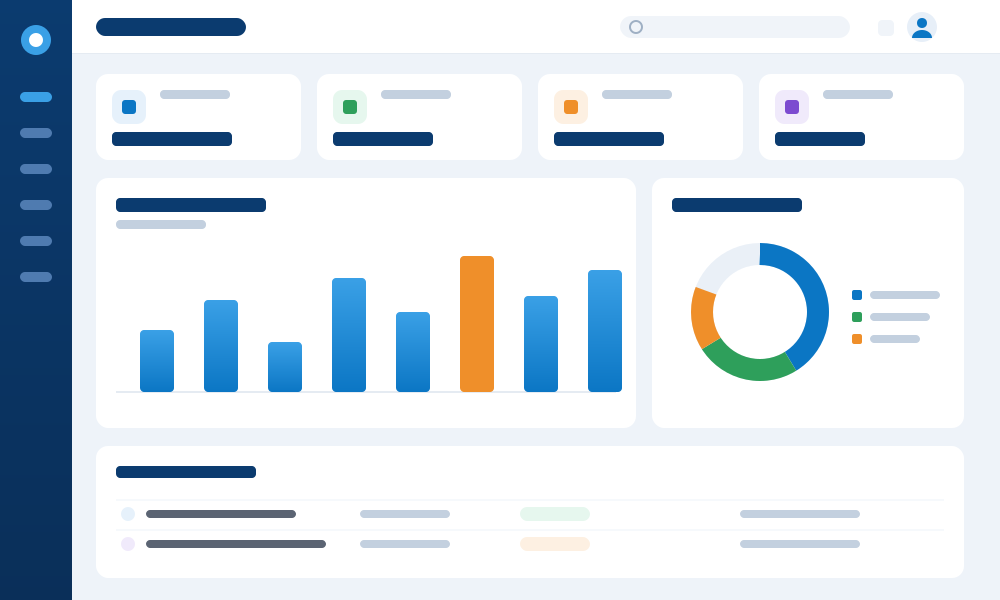
When Salesforce is wired into your ERP, finance, marketing and support tools, every screen shows the same current data. This is the kind of always-on, real-time experience we build for you — no re-keying, no stale records, no swivel-chair between systems.
Leads synced from every source
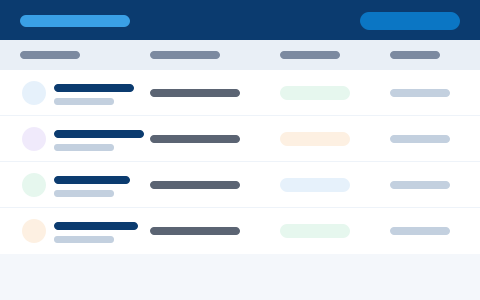
Web forms, marketing tools and partner systems feed new leads straight into Salesforce — captured once, never re-keyed.

Pipeline linked to your ERP
Quotes, orders and invoices flow between Salesforce and your back office, so every deal reflects real order and billing status.

Forecasts on live numbers
Reports and dashboards read from real-time, integrated data, so leaders track revenue on figures they can trust.

A unified customer timeline
Calls, emails, support cases and orders from connected systems land on one clean timeline — a single view of the customer.
Integration and automation, done properly
Reliable connections and smart automation that scale with you.
One Connected, Automated CRM
We make Salesforce the connected hub of your business — integrated with the systems around it and automated end to end — so data flows in real time and manual steps disappear.
- APIs
- MuleSoft
- Real-time
- Automated
- System integration & API design
- MuleSoft & middleware delivery
- Real-time & scheduled data sync
- Flow automation & error handling
System Integration
Connect Salesforce to ERP, finance, marketing and support tools.
MuleSoft & Middleware
Robust, monitored integrations on MuleSoft and other platforms.
API Development
Secure REST and SOAP APIs to share Salesforce data safely.
Process Automation
Flows that automate approvals, updates and routine tasks.
Real-Time Sync
Reliable, real-time or scheduled data sync with error handling.
An integration partner you can rely on
We’ve connected CRM and ERP systems for a quarter of a century — so you get integrations that are reliable, monitored and built to last, not brittle scripts nobody understands.
Middleware done right
MuleSoft and API-led designs that scale across your estate — centralised, reusable and easy to extend.
Real-time, two-way sync
Data flows both ways between Salesforce and your systems in real time, so every record stays current.
Resilient by design
Validation, automatic retries and alerts are built into every integration, so issues are caught before they hurt.
Fully monitored
Dashboards and logs give you live visibility of every connection — you always know your data is flowing.
What we connect Salesforce to
If it has an API or a file interface, we can connect it to Salesforce.
Signs you’re ready to integrate Salesforce
If any of these sound familiar, connecting Salesforce to the systems around it will give your teams one current, trustworthy view of every customer.
Plan your integrationSalesforce, ERP and marketing each hold a slice, and none of them agree.
The same order or contact is typed into two or three systems by hand.
Sales, service and finance can’t see one complete, current record.
Data only moves once a day, so decisions are made on stale numbers.
Quotes, orders and invoices don’t flow between front and back office.
Spreadsheets are exported, emailed and re-imported just to move data around.
Point-to-point vs managed integration
A quick link is fine for one connection. Beyond that, a managed approach pays off fast.
For anything beyond a single connection, a managed integration platform quickly pays for itself.
Built to be reliable
Every integration is designed to handle real-world data and errors gracefully.
Map
Identify the systems, data and events that need to connect.
Design
Choose the right pattern — API, MuleSoft or flow.
Build
Develop integrations and automations with reusable components.
Test
Validate data, error handling and edge cases end to end.
Monitor
Go live with dashboards, alerts and support.
A connected CRM you can rely on
Documented, monitored integrations — not fragile, hidden scripts.
What changes for your team
Less manual work, fewer errors and data that is always current.
Goodbye Manual Entry
Data flows automatically, so nobody re-keys it twice.
Always Up to Date
Every system shows the same, current information.
Cleaner Data
Automated validation cuts mistakes and rework.
Built to Grow
A managed integration layer that grows with you.
Choose your starting point
From a single connection to a fully managed integration platform.
Single Integration
Connect two systems quickly and reliably.
- One connection
- Quick build
- Tested
Integration Platform
A managed platform for all your Salesforce integrations.
- MuleSoft setup
- Reusable
- Monitored
Automation Bundle
Automate a set of manual Salesforce processes.
- Flow automation
- Approvals
- Alerts
Integration Support
Keep your integrations healthy with monitoring.
- Monitoring
- Fixes
- Enhancements
“They connected Salesforce to our ERP and finance systems and automated the hand-offs. The double data entry is gone, everything is in sync, and our teams finally trust the numbers.”
Related Salesforce services
Integration is one piece of the picture. The same certified team can advise, implement, customise, migrate and support your Salesforce org.
Consulting & Advisory
CRM strategy, health checks and a roadmap before you build.
Learn moreImplementation
Full Salesforce setup, configuration and go-live across your clouds.
Learn moreCustomization
Tailor Salesforce with flows, objects and Lightning components.
Learn moreMigration
Move from another CRM to Salesforce without the headaches.
Learn moreManaged Support
Keep Salesforce healthy and improving, month after month.
Learn moreCRM-ERP Integration
Two-way sync between Salesforce and your ERP back office.
Learn moreSales Cloud
Pipeline, opportunities and sales productivity in one place.
Learn moreAll Salesforce Services
Browse the full range of Salesforce consulting and delivery.
Explore allTired of moving data in and out of Salesforce by hand?
Let us connect Salesforce to your systems and automate the work that slows you down.
Plan Your IntegrationSalesforce integration — common questions
Yes. We integrate Salesforce with Oracle and other ERP, finance, marketing and support systems for real-time data flow.
Yes. We build robust, monitored integrations on MuleSoft and other middleware, as well as direct APIs.
Yes. We automate approvals, updates and routine tasks with Salesforce flows and integrations.
Every integration includes validation, automatic retries and alerts, with dashboards so issues are caught fast.
Yes. We support real-time and scheduled sync depending on your needs and the systems involved.